
Expanding a basic product page - some additional Product fields explained
Below are indicated some of the additional product options available.
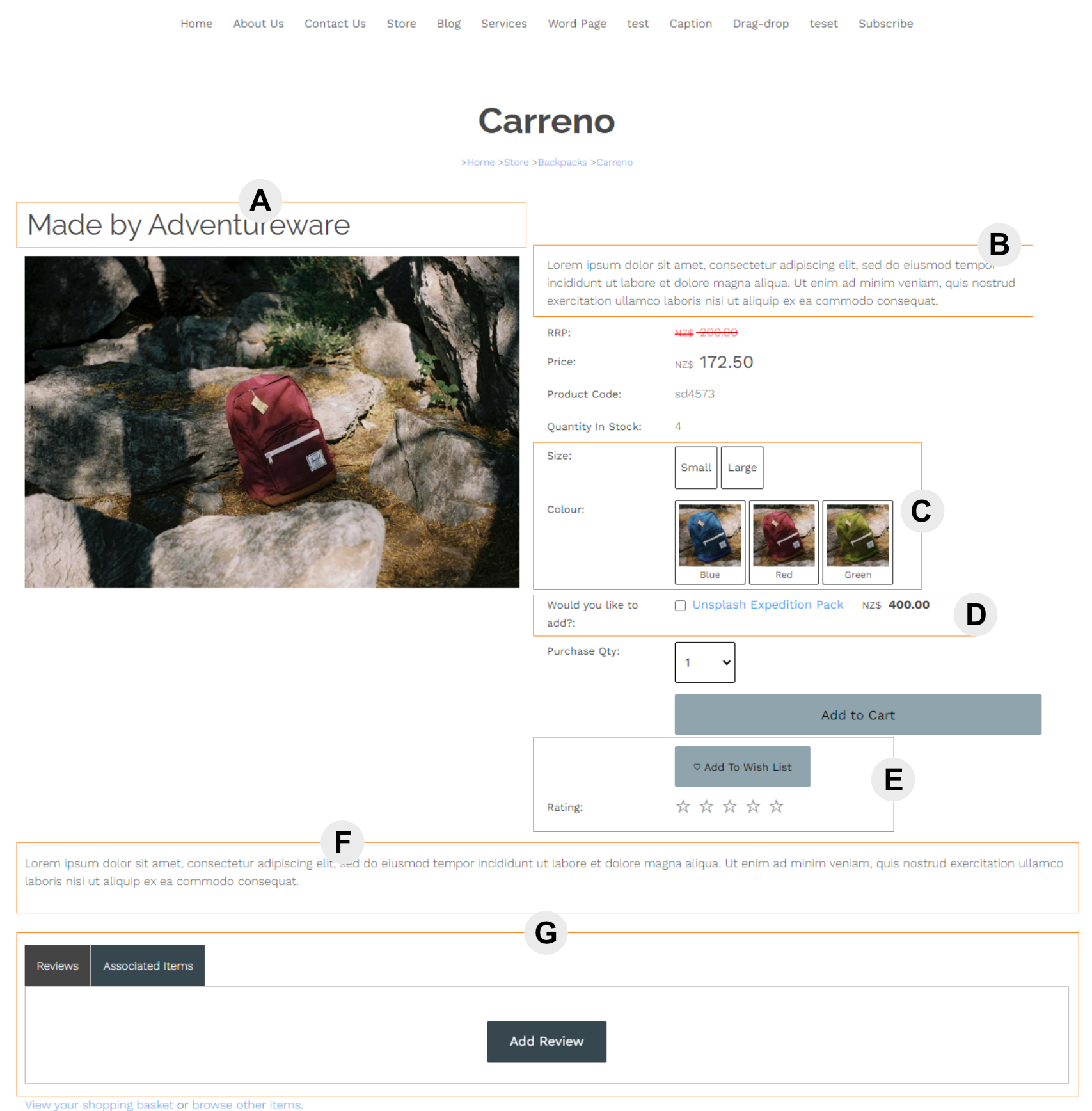
[A] Subtitle Field
A second title area to provide additional detail or context to a product
[B] Rich Text Description area
An alternate version of adding a plain text description - adding html text to the rich text area will allow the full range of html options / styling / linking etc.
[C] Product Options
You can add product options and custom questions to the product detail area
[D] Promote Related Products
If you have linked related products there is an option to promote these in the product area.
How to promote related Products
[E] Ratings Plugin / Wishlist Plugin
Additional functionality can be added by adding plugins available in the ECOMMERCE setup area.
Ratings plugin info Wishlist plugin info
[F] Additional Text area
You can add freeform text to an area of the product detail page via the MORE TEXT > Additional Text and Photos area.
[G] Product Tabs area
Each product has a dedicated tab area. Each tab content area can be accessed via the MORE TEXT > Additional Information Tabs area.
There are multiple tab content areas available. Only tabs with content are visible.
Price/Qty formatting examples
Show Price Range (If Available)

Show Price Range if available e.g. selecting a different product size changes the price.
Product Variations multi-buy (add multiple sizes in one go)

Product Variations multi-buy - make all the variations available to be purchased with qty by one buy button click.
Show / set Bulk Qty Discounts

Bulk QTY Discounts, if set in the pricing area, will show in the product detail area.