
You can move Blog or News, Gallery posts to a different information page type in bulk by clicking the checkbox next to each post.
How to move a post from one page to another
- Click the checkbox/es next to the items you would like to move.
- From the options that present on the right-hand side, choose the required page from the OR MOVE THEM TO: dropdown box.
- Click the Move Pages button to action the move.
Note: you can only move the posts to another information-page type.
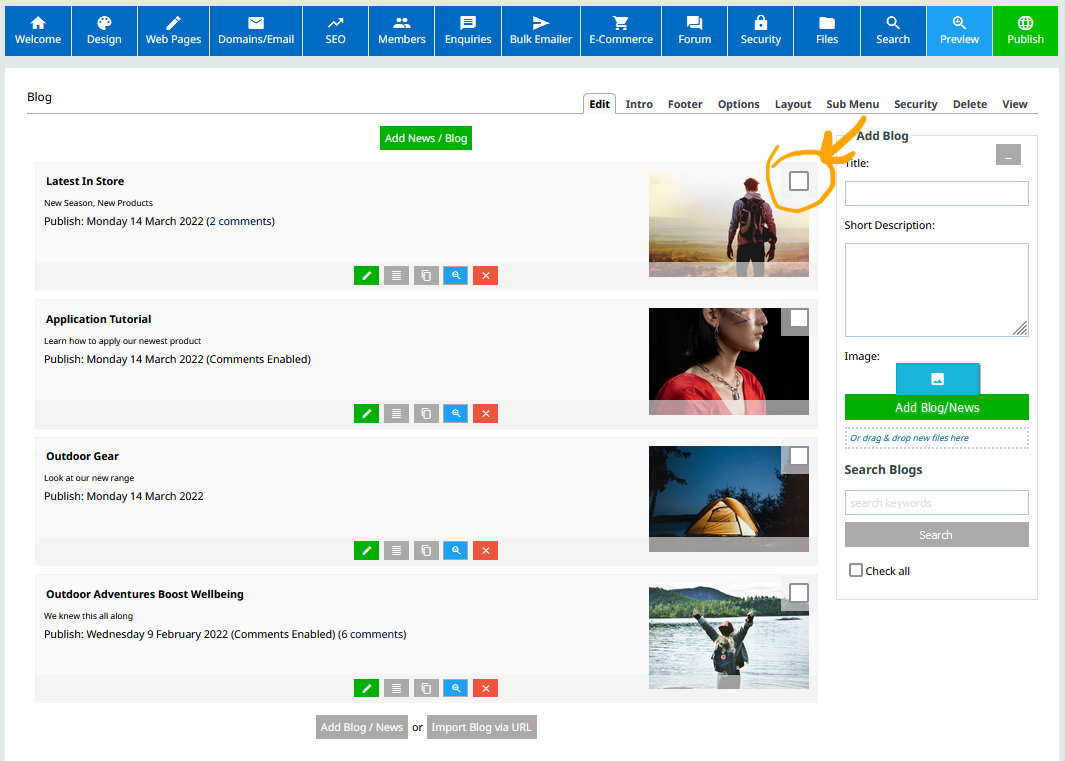
Check the box next to the post/s you want to move.
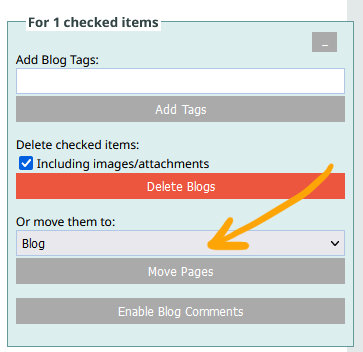
Select the page from the MOVE THEM TO dropdown, then click the MOVE PAGES button.