
You can temporarily hide/unhide a Contentbox section.
Note - this does not stop the content from being published to the live website - the content will be part of the page but will be hidden from view.
To hide / unhide a Contentbox section
- Click the BLUE COG icon top left of the section
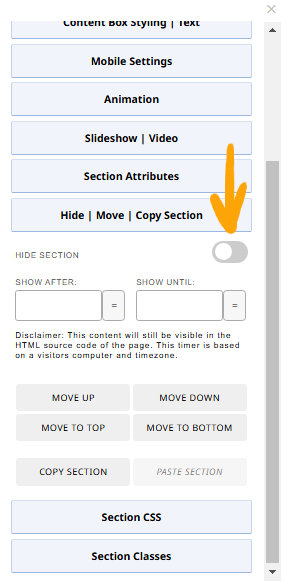
- From the Contentbox settings modal that appears, click the HIDE | MOVE | COPY SECTION button to open the settings.
- Click the HIDE SECTION toggle switch to hide / unhide the Contentbox section.
Hiding a section for a specific date range
You can choose to hide the section for a specific period of time via the SHOW AFTER, SHOW UNTIL date fields. The Hide Section button does not need to be enabled for this.
Visual Indicators - how do you know if a Contentbox section is hidden.
If a Contentbox section is set to hidden the entire section will show with a light blue background and dotted border. There will be a label in the corner indicating HIDDEN CONTENT as per the example below:
