
Disabling a Single Product
You can hide the buy button for a specific product when editing each product.
- Navigate to the products area via Products on left menu.
- Navigate to the required product and edit it.
- On the main edit product page, scroll down to the Visibility section bottom right and click the Disable Buy Button checkbox.
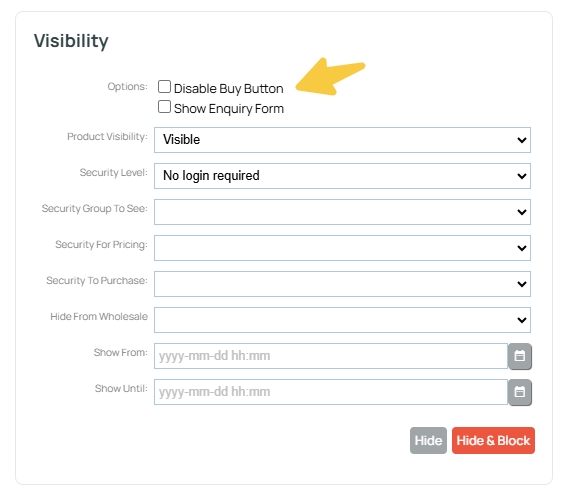
Disabling Buy buttons in bulk on a product in a category.
There is the ability to edit products in bulk using the Bulk Updates area. This can be found in the sidebar options via Shopping > Manage Products.
As this feature has the ability to radically alter your shopping data if used incorrectly we recommend it for advanced user only, or using on test data.
