
If you have multiple domains attached to a site, one must be assigned as the primary domain. This is the domain that will be used on all invoices, password reminders, statements etc for the website.
Setting your Primary Domain
You can set your primary website domain for the website via Design > Global Contact Details Icon, or by Clicking a Contact Us page (if you have the default contact page)
Ensure you use the full https:// version.
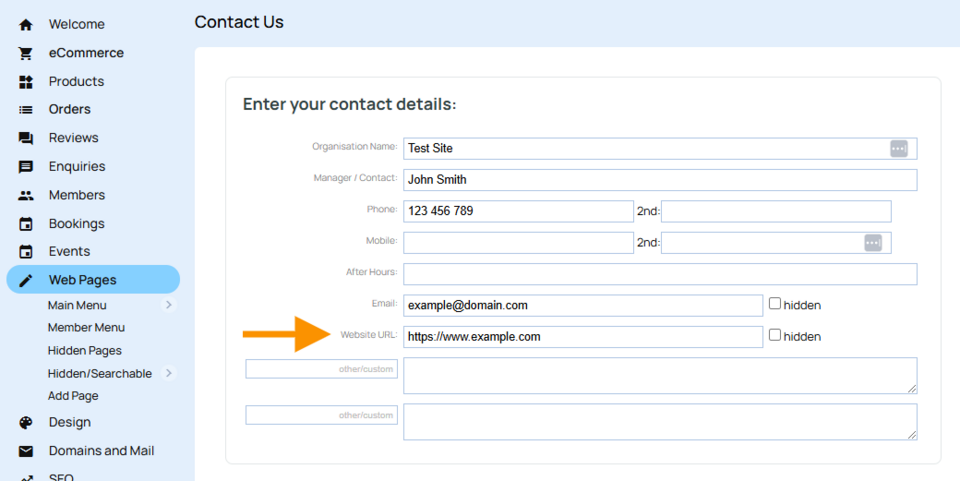
Enter the domain name you would like as your primary domain to the WEBSITE URL: Field.
The domain must be listed in the DOMAINS/EMAILS area in the CMS.