
To manage a Pick List for an Order
View the order in the system by clicking the Order ID in the CMS, or by pressing one of the small icons to the right of the order.
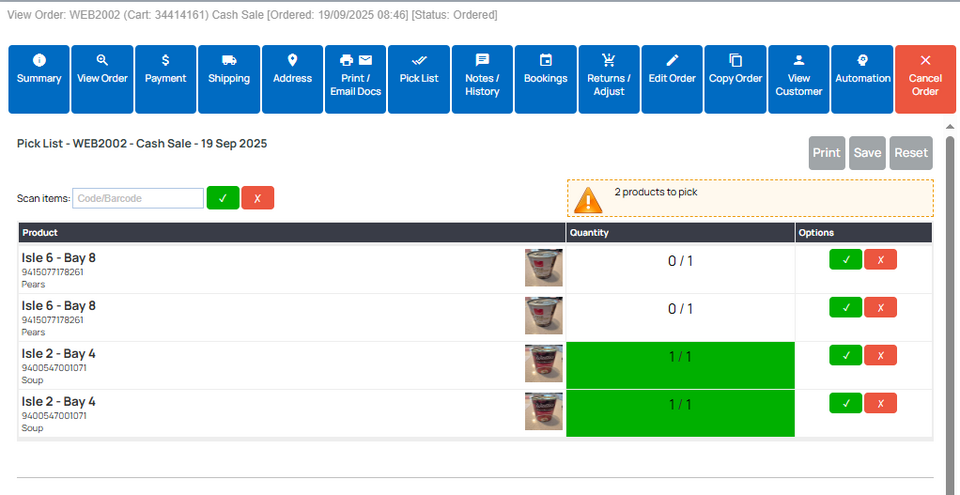
Click the Pick List button from the top menu options available.
The lines are ordered by product location to help staff pick more efficiently.
The product location and quantity required are displayed in large text, for streamlined processing by staff using small device screens such as a phone.
As each line is picked, it will move to the bottom of the list, to help with usability.
Scan products by Barcode to update the Pick List
If you have set up your Product Codes in the shopping cart, you can use a barcode scanner to automatically update the Pick List as a barcode is scanned.
The following interface has been designed for efficient use with barcode scanner.
Bar code scanner gives happy/sad beeps on each scan.
Give Limited Access to Warehouse Staff
You can give access to limited staff. See pick list app.