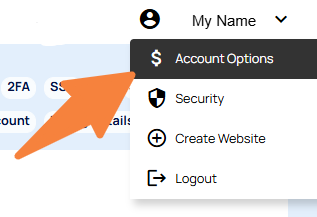
In the CMS you can change your login password via your name on the top right of the dashboard.
- Click your name on the top right of the CMS
- Then choose Account Options
- Select Change My CMS Login Password and follow the prompts.
Passwords need to be at least 8 characters long and contain at least 1 uppercase, 1 lowercase and 1 digit.