
To add or edit / referral questions to forms globally
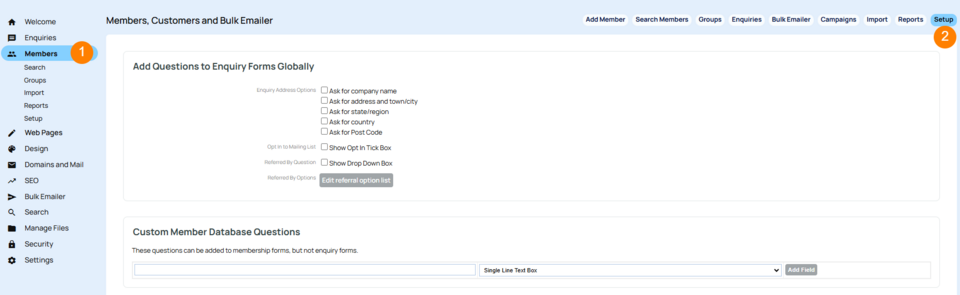
- Go to Members tab
- Click Setup on the top right hand tabs.
- Add/remove any tick boxes or questions.
- This will affect contact forms globally.
This information will show under the members profile at the bottom, and can be tracked via Members > More Reports > Referrals
In this same area there is also a graph you can download as .csv Members > More Reports > Graph - Referrals over time.