Adding a % discount to an order
An order discount can be set via the Discount % field.
The % discount is applied to all item lines. Which can then be overridden individually.
Adding a discount / surcharge to an order
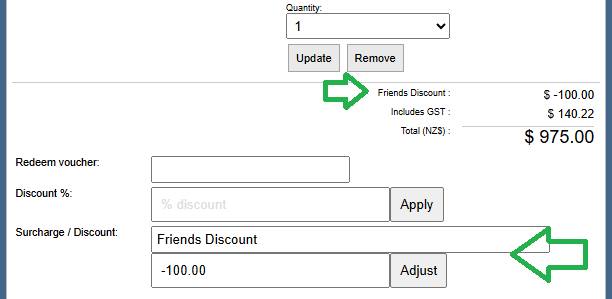
You can create adhoc dollar value order discounts and surcharges in the POS area via the Surcharge / Discount Field
Applying a fixed dollar discount can use the same field as adding a surcharge. Just make it a negative amount, so that it comes off the order total.
- Use the Surcharge / Discount field to add an explanation / label to the discount
- Set the amount in the adjustment field - A positive number for a surcharge, a negative number for a discount.
Both discounting methods can be used simultaneously.