
To add a payment option
- Click the E-COMMERCE button in the main menu
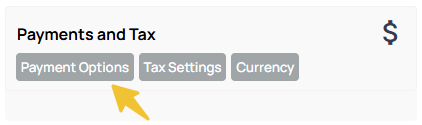
- Click the PAYMENT OPTIONS button found under payments and tax section
- Click the currency button inside the required payment option
- Add the required credentials (username/merchant ID/secret key etc and save
- Test the payment gateway with a small purchase to ensure the credentials are correct and money is being received.
To manage your payment options
Click the SETTINGS button next to each gateway to change the settings.
