Add custom Order Statuses so that your team can manage your workflows.
Note: You cannot delete system statuses. Many system actions will update your status, such as when paid or shipped.
Creating your own custom Order Statuses
Create your own custom order statuses to apply to your orders so that your team can manage your workflows.
You cannot delete existing system statuses. Many system actions will update your status, such as when paid or shipped.
Where to apply your custom Order Statuses
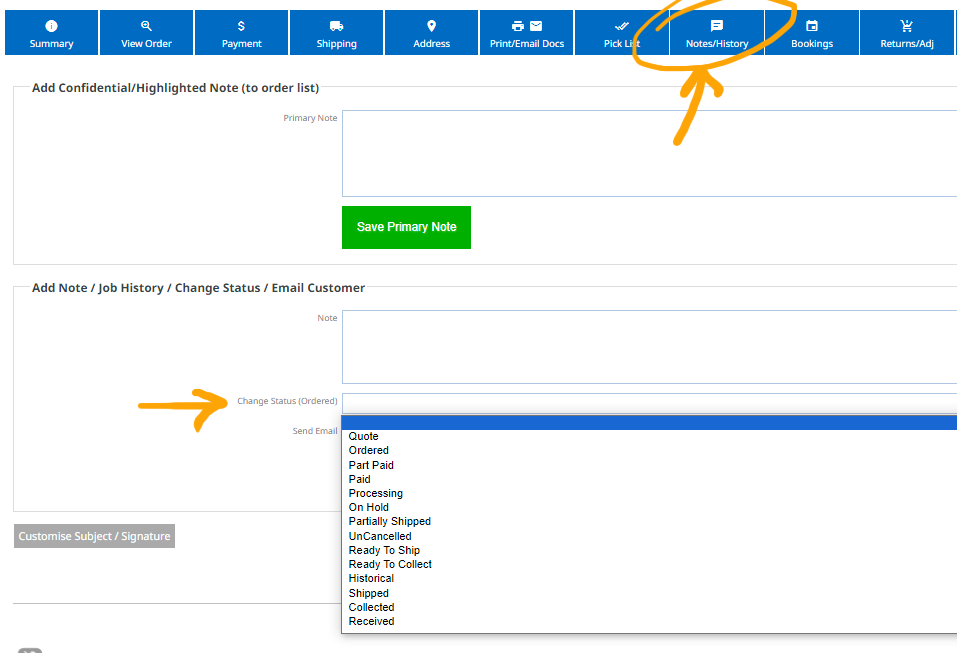
You can manually change the Order Status via the Notes/History area when viewing the order. Your new custom statuses will appear alongside the standard ones shown below:
Sending proofs for client feedback or approval
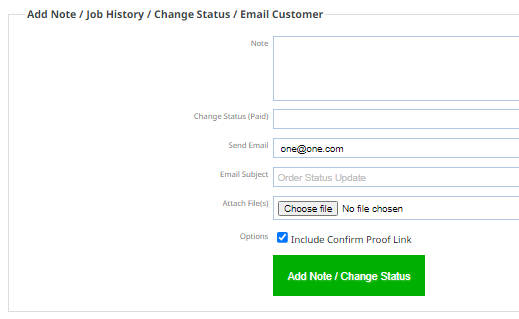
Adding the Job Status Manager Plugin extends the Notes/History area to include the abiltity to send image attachments to the customer, with the option to send a confirm proof link, or submit additional feedback.
All communications are stored in the history of the order.